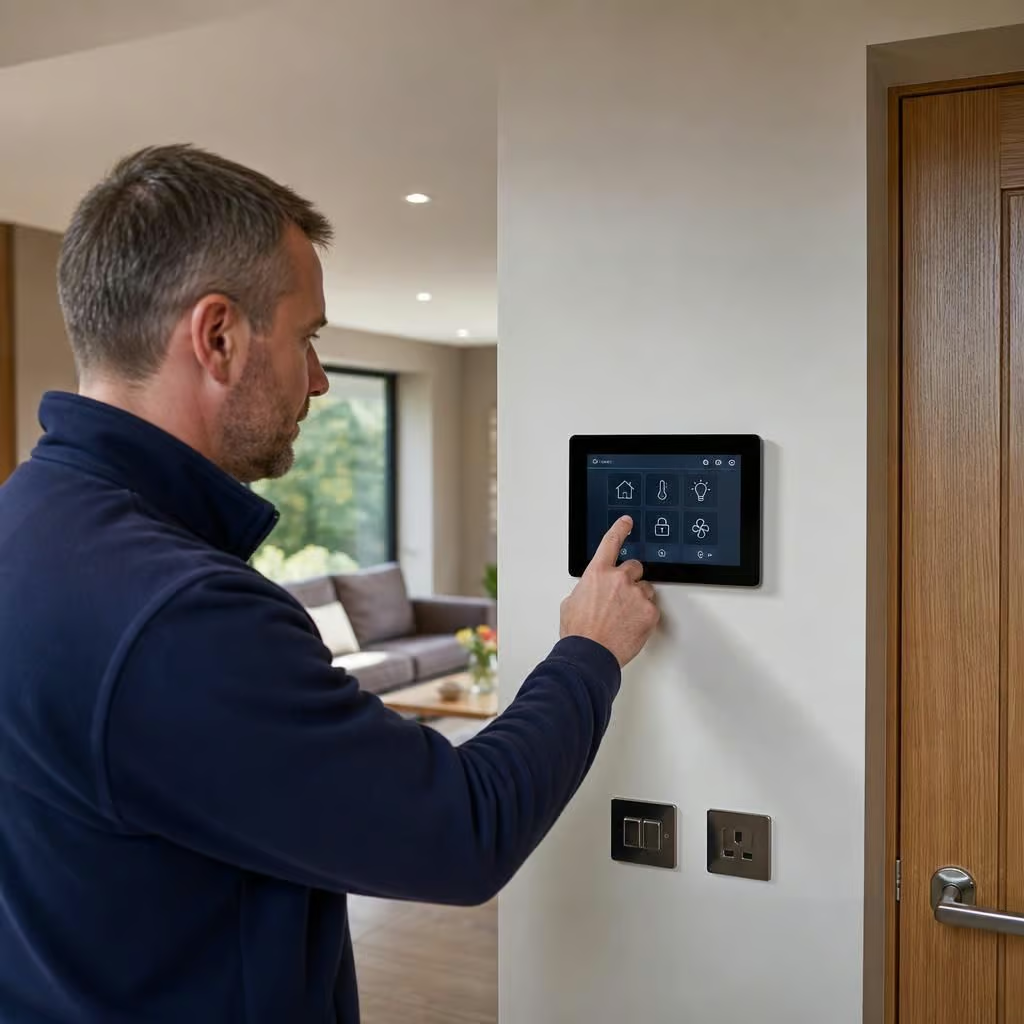
What does a smart home automation system include?
A smart home automation system can include connected lighting, heating controls, security devices, sensors and energy monitoring, managed from one app or through automatic routines. The exact combination depends on your home, so we design the system around the controls and tasks you want to manage.
A smart home automation system usually includes a central control platform, connected devices, sensors and the programming that makes them work together. The exact combination depends on the home, its existing wiring, heating system, security needs and the level of control you want.
It is more than a collection of smart bulbs or a phone app. A properly planned system links individual devices so that one event can trigger another. For example, opening a window can stop a heating zone, or leaving the house can switch off selected lights and reduce the heating setting.
The main parts normally include:
- a central hub, controller or compatible control platform
- wall switches, thermostats, keypads and other user controls
- sensors for movement, temperature, light, doors, windows and water leaks
- connected lighting and appliance controls
- heating and ventilation controls
- security, entry and safety equipment
- energy monitoring and equipment controls
- the network connections and software needed to operate everything
The controller is the organising point. It receives information from sensors and sends instructions to connected equipment. Some systems use a dedicated hub, while others use a controller built into a heating, security or home network platform. The controller is important because it determines which devices can communicate and which routines can run automatically.
A system that relies entirely on separate manufacturer apps can become awkward to use. We plan the control method around the equipment already in the property, rather than adding devices that cannot work together reliably. We also check what continues to operate locally if the internet connection is interrupted.
User controls make the system practical day to day. These may include conventional-looking wall switches, dimmers, room thermostats, touchscreens, keypads, phone controls or voice commands. A good arrangement does not force everyone to use a phone for basic tasks. Someone should still be able to turn on a light or adjust a room without searching through several menus.
Wall controls can be useful in older homes where the existing switch layout needs updating. We consider the position of switches, the available wiring and whether wireless controls are more suitable than chasing walls. This helps limit unnecessary disruption.
Sensors provide the information that makes automation possible. A temperature sensor can help control a room independently. A motion or presence sensor can operate lighting in a hall or utility area. Door and window contacts can show whether an opening is left unsecured or prevent heating from running while a window is open. Light sensors can adjust external lighting or help manage shading.
Sensors need careful positioning. A movement sensor facing a radiator, a window or a busy road may produce poor information. We choose locations based on how each room is used, not simply where installation is easiest.
Lighting control can cover individual fittings, rooms or wider routines. The system may switch, dim or schedule lights, depending on the fitting and control equipment. Scenes can combine several actions, such as reducing selected lights at bedtime or turning on a path through the house when movement is detected.
Lighting automation does not require every lamp to be replaced. In some properties, smart lamps are appropriate. In others, connected switches, dimmers or relay controls are a better fit because they preserve normal wall-switch operation.
Heating control is often one of the most useful parts of the system. This can include room thermostats, heating zones, radiator controls, hot-water controls and schedules. The system may respond to occupancy, room temperature, time of day or the status of doors and windows.
Your existing boiler, oil-fired system, heat pump or electric heating affects what can be controlled. We check the heating controls, wiring, zones and heat emitters before recommending equipment. A smart thermostat cannot correct an incorrectly sized radiator, poor insulation or a heating system that is not balanced properly.
For a rural or older property, the control plan may need to account for solid walls, different room temperatures, an oil or LPG boiler, or a mixture of heating systems. These details affect where sensors go and how schedules should be set.
Ventilation and indoor air quality can also be included. Connected extractor fans, humidity sensors and ventilation controls can respond to moisture in kitchens, bathrooms or utility rooms. This can help the system react to actual conditions instead of running equipment continuously on a fixed schedule.
Security and access equipment may form another layer. Depending on the installation, this can include door contacts, motion detection, external lighting, door-entry controls, connected locks and cameras. Access controls can allow different users to operate doors or receive notifications, while lighting routines can make movement around the property easier to manage.
Security equipment needs particularly clear permissions and notification settings. We discuss who should receive alerts, which events matter and what happens if a phone is lost or a user no longer needs access.
Safety monitoring can be included where it serves a clear purpose. Water-leak sensors can identify a problem near a washing machine, tank or boiler. Smoke, heat or carbon-monoxide alarms may provide connected notifications where compatible equipment is selected. These systems support existing safety measures; they do not remove the need for legally required alarms or regular checks.
Energy monitoring shows how the property is using electricity. Monitoring equipment can measure whole-home consumption or track selected circuits. Where a property has solar panels, a battery or an electric vehicle charger, the system may also show generation, storage and charging activity. This helps you understand when energy is being used and whether controls are operating as intended.
Monitoring is different from automatic energy saving. The system can report consumption and control suitable equipment, but the likely benefit depends on the tariff, heating pattern, building fabric and equipment settings. We look at those factors rather than presenting automation as a guaranteed reduction in bills.
Automations are the rules that connect the equipment. A schedule is the simplest example: the heating changes temperature at set times. More advanced rules use conditions, such as the time, occupancy, outdoor brightness or whether a window is open. You may have separate settings for leaving home, returning, sleeping, entertaining or going on holiday.
Rules need sensible limits. A light should not keep switching on because a pet passes a sensor, and a heating routine should not override a manual change without explanation. We set up the functions you will use and explain how to amend them later.
The installation also includes the communications infrastructure. Devices may communicate through existing wiring, a dedicated wireless network or a mixture of both. We check signal strength, router position, power supplies and the location of the controller. Thick walls, outbuildings and long distances between buildings can affect wireless performance, so a system may need wired connections or additional network equipment.
Finally, the system includes configuration, user access and documentation. We label relevant equipment, set up agreed users and explain the everyday controls. You should know which functions operate automatically, how to override them and what to check if a device stops responding.
The right system is therefore not the one with the greatest number of connected devices. It is the one that links the controls you need, works with the home’s existing services and remains understandable when you want to use it manually.
A smart home system can be planned in stages rather than installed all at once. You might begin with lighting and heating, then add energy monitoring, access control or leak detection when there is a clear reason to do so.
Before installation, we record how the controls communicate and which parts can be extended later. That helps you avoid buying equipment that works only in isolation. It also means future additions can be judged against the system already in place, rather than starting again with a different app or control method.