
What information do you need to recommend a home automation controller?
We need to understand your home, internet connection, existing smart devices, heating and electrical systems, and what you want the controller to do. We then check compatibility, security, future expansion and any wiring or network changes before recommending a controller that will work with the equipment you already have.
A useful recommendation starts with the system you want to run, not with a controller model. We need to understand the equipment, the way the home is used and how much control you expect before we can judge which controller is suitable.
Start with the jobs you want the controller to handle. One household may want heating schedules and lighting scenes. Another may want solar generation, battery charging, an EV charger and household demand to work together. List the outcomes that matter most, such as reducing manual adjustments, controlling several devices from one app or keeping essential functions working if the internet drops.
This helps us separate essential functions from optional extras. A controller chosen only because it supports a long list of devices may be unnecessarily complicated for a home that needs simple heating and lighting control.
We need a complete list of existing equipment. The make and model of each smart device can affect compatibility. Useful information includes:
- heating controls, thermostats, boilers and heat pumps;
- lighting circuits, switches, dimmers and sensors;
- solar panels, inverters, batteries and energy meters;
- EV chargers and any existing load-management equipment;
- cameras, alarms, doorbells, locks and other security equipment;
- voice assistants, hubs and apps already used in the home; and
- older devices that need to remain in service.
Model numbers are more useful than photographs of an app screen. If the equipment has already been installed, we may ask for pictures of labels, control panels and hubs. That lets us check the available connection method rather than relying on a general product description.
Compatibility needs checking at more than one level. A device may have an app but still offer no useful connection to another controller. Some equipment communicates through a wired connection, while other devices use Wi-Fi, Bluetooth, Zigbee or another wireless protocol. A controller may support one protocol directly but need an additional bridge for another.
We also check what the connection actually allows. It may provide basic on-and-off control, or it may expose useful information such as temperature, energy generation or battery charge level. That difference affects the automations the system can run and the information you can see.
The home’s internet and network arrangements form part of the recommendation. We need to know where the router sits, which areas have reliable Wi-Fi and whether the system includes a separate network for smart equipment. Thick walls, outbuildings and long distances between the house and equipment can affect wireless performance, particularly in rural properties.
If the internet connection is unreliable, we discuss which functions should continue locally. Heating control, lighting and access systems should not all depend on a remote server if losing the internet would leave the home without practical control. We also need to know whether the controller requires a manufacturer account or cloud service for setup and everyday use.
Tell us who needs access and what each person should be able to do. A household may need separate access for adults, children, guests or a property manager. We can then consider individual accounts, permissions, remote access and the way access is removed when someone no longer needs it.
Security also includes the router, passwords, software updates and any physical location where the controller is installed. A controller in an accessible cupboard may need different physical protection from one in a locked electrical enclosure. We explain the practical responsibilities that remain with the homeowner, including keeping account details secure and applying updates when required.
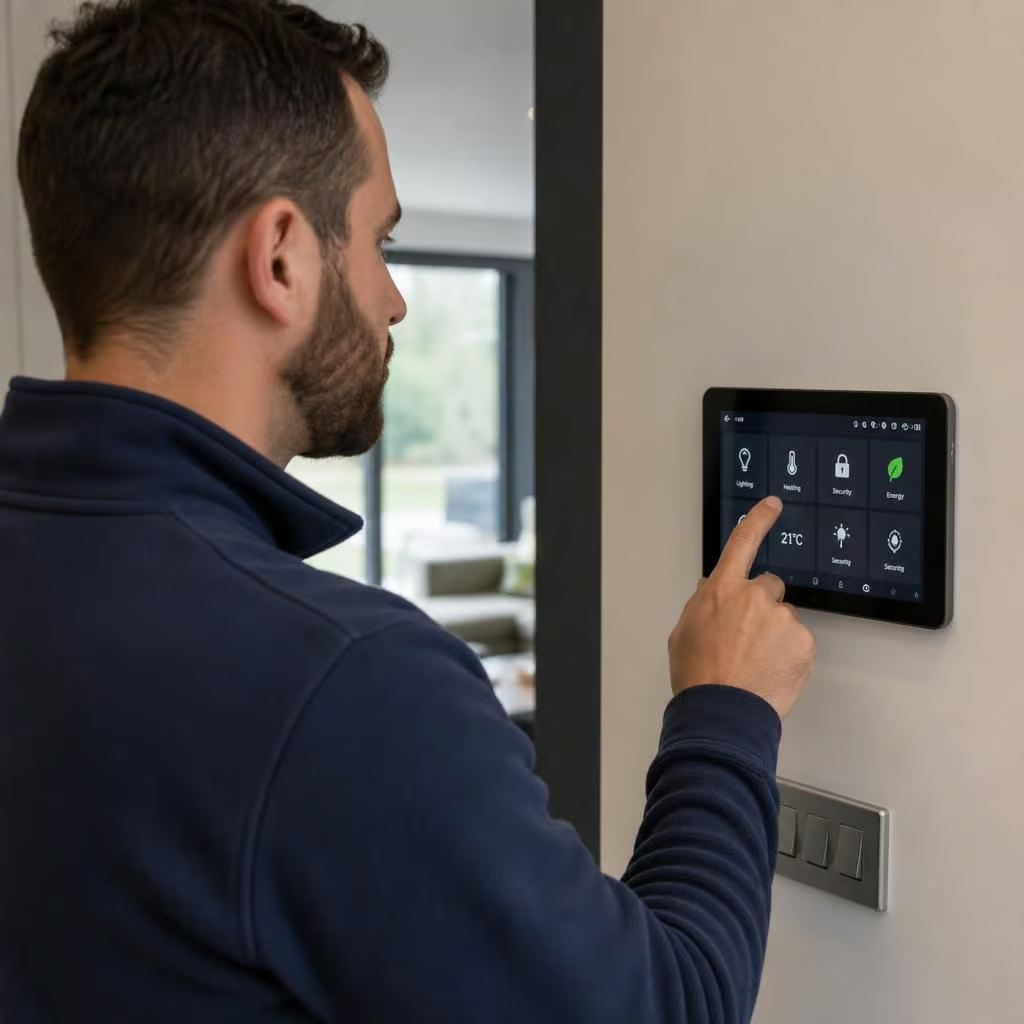
Your preferred method of control matters. Some people want a single wall-mounted interface. Others prefer a phone app, voice commands, existing switches or automatic routines that need little day-to-day input. We ask how the system should behave when someone uses a physical switch instead of the app, and what should happen after a power cut or router restart.
These details prevent a system from becoming difficult to use. Manual controls still matter when a guest visits, a phone battery is flat or someone needs to override an automatic setting quickly.
The property layout and electrical installation can affect what is practical. We may need information about the consumer unit, available power supplies, cable routes, plant rooms, outbuildings and the position of existing control equipment. In an older home, walls and floors may make new cables disruptive, while a detached garage or barn may need a different network connection.
Photos, floor plans and a list of equipment can help us make an initial assessment. A site visit is more useful when the recommendation depends on signal strength, cable routes, equipment access or changes to fixed wiring. If the controller requires electrical alterations, our NICEIC-registered team can assess that work as part of the recommendation rather than treating the controller in isolation.
We also ask what you may add later. Future plans might include a battery, an EV charger, additional heating zones, garden buildings or more lighting control. The answer does not mean buying the largest system available. It means avoiding a controller that prevents sensible additions or requires a complete replacement when the home changes.
We record the proposed equipment, required connections, expected dependencies and any limitations before recommending a route. Where a device cannot provide the control you want, we explain that before work starts. That may lead to a different controller, a separate interface for one item or a decision to leave an existing device outside the automated system.
Once we have this information, we can explain what the controller will operate, how it will be accessed, what happens if the internet fails and what future changes it can accommodate. We provide the recommendation and any associated electrical work in writing, so the scope and costs are clear before you decide.
When several systems are connected, the controller should coordinate them without replacing their built-in safety controls. We define which equipment remains responsible for safe operation and which instructions the controller is allowed to send.
For example, a heating system may keep its own temperature and fault protection while the controller manages schedules or links demand to household energy use. This separation makes the arrangement easier to understand and limits the effect of a controller fault. We document those boundaries in the recommendation, so you know what the automation changes and what continues to operate independently.