
How much maintenance does a smart home security system need?
A smart home security system usually needs only light, regular maintenance: check batteries, camera views, sensor positions and app updates, then test the alarm and notifications. Arrange a professional check if a device repeatedly loses connection, gives false alarms or stops responding.
Most smart home security systems need light routine attention, not a traditional service visit every few months. The amount depends on whether the system is wired or wireless, how many outdoor devices it has, and whether it links to locks, lighting or professional monitoring.
A basic wireless alarm may only need attention when the system reports a fault or a device reaches the end of its battery life. A larger installation deserves a more organised maintenance plan, particularly if it protects several entrances, outbuildings or a second property.
What routine maintenance involves
- Review system messages. A low-battery warning, tamper alert or loss of communication identifies a particular device. Deal with the named fault rather than resetting the whole system and ignoring it.
- Check the event history. Repeated alerts from one sensor can point to movement, vibration, an insecure door or a positioning problem. The history can also show whether an alert is coming from the house, garage or garden.
- Keep contact details current. If the system sends alerts to several people, remove old users and update numbers when someone moves out or changes phone. Former occupants should not retain access to cameras or alarm controls.
- Review permissions. Give household members the access they need, but avoid sharing one administrator login. Separate user accounts make it easier to remove access and identify changes.
- Check the physical condition of equipment. A door sensor can shift after a door, frame or window is repaired. Outdoor cameras and sirens can also be affected by new planting, building work or a changed fence line.
Wireless devices usually give plenty of warning before a battery is exhausted, but that warning still needs acting on. Use the battery type specified for the device and keep the alarm in its maintenance mode while changing it. If a tamper alarm continues afterwards, the cover or sensor may not be seated correctly.
When a professional check is worthwhile
You do not necessarily need a fixed annual service for every domestic system. A professional inspection becomes sensible when the system is producing nuisance alarms, losing devices, failing to activate an external sounder or no longer covering the areas you use.
It is also worth arranging a review after an extension, redecoration, replacement door or window, new broadband equipment, or changes to the home’s electrical installation. We can check that sensors still cover the intended routes, that cables and power supplies are sound, and that devices have not been left vulnerable by the building work.
A professional review should include more than confirming that the alarm can be set. We look at detection coverage, entry delays, tamper protection, warning devices and the way alerts reach the nominated users. If the system connects to other smart equipment, we also check that the connection still performs the job you expect.
Power cuts and internet failures
Maintenance should include knowing what happens when the mains power or internet connection fails. Many systems have a backup battery, but its condition and capacity vary. Some cameras cannot store or send footage without an internet connection, while an alarm may continue detecting an intrusion locally.
Ask the installer which functions remain available during each type of failure. If the system relies on a router, consider whether the router and its power supply need protection as well. We can explain which part of the installation remains active and which alerts may be delayed.
How long should equipment last?
There is no single replacement date for every sensor, camera or control panel. Devices should be replaced when they develop repeated faults, no longer receive support, suffer physical damage or cannot work with the rest of the system. A system that still turns on may nevertheless be difficult to maintain if its app, batteries or replacement parts are no longer supported.
Keep the installation details, device list, user instructions and any installer codes in a secure place. When we inspect an unfamiliar system, this information helps us identify each component and avoid unnecessary replacement.
The practical aim is simple: faults should be identified before the system is needed, access should remain limited to the right people, and every sensor should still protect the route or room it was installed for.
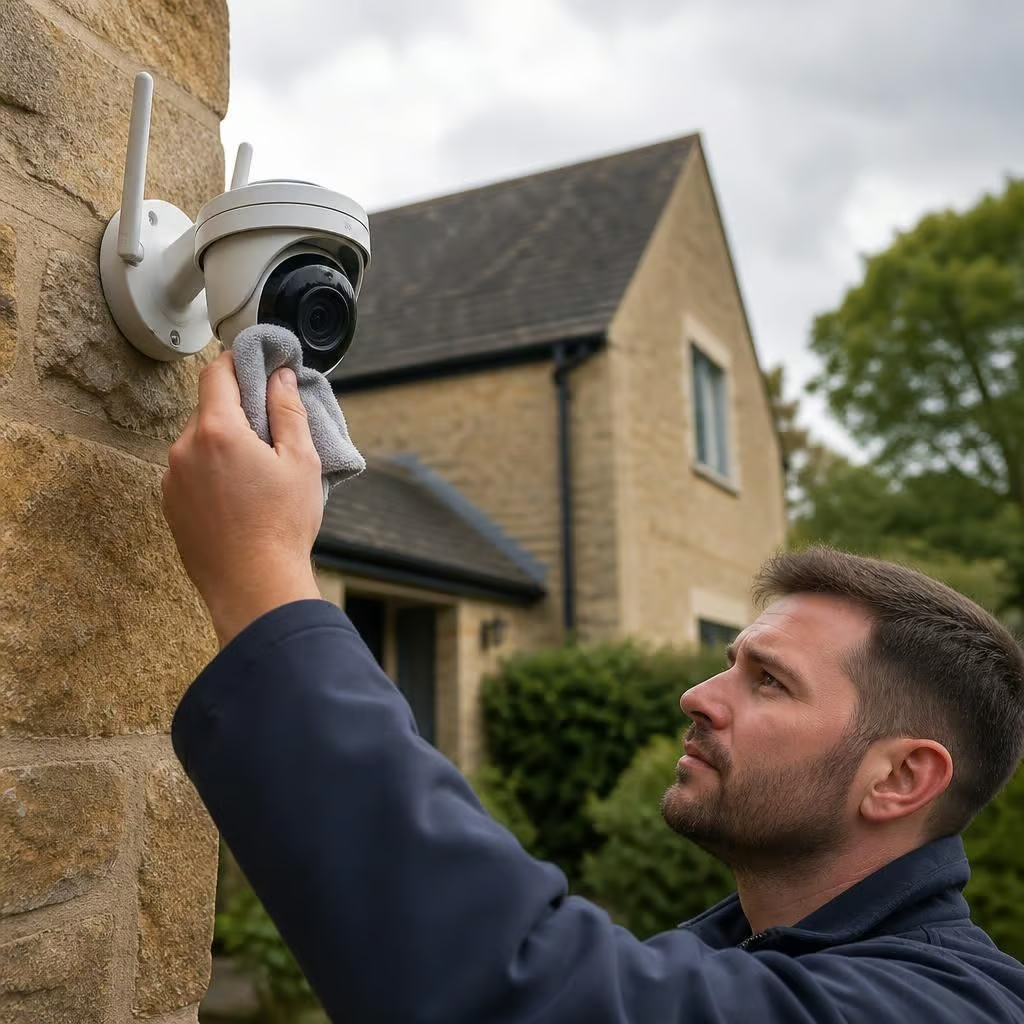
Outdoor cameras usually need more attention than indoor sensors. Cobwebs, rain marks, dust and condensation can obscure faces or create false movement alerts, especially at night when infrared light reflects from nearby debris.
Clean the lens with a soft, dry microfibre cloth and avoid spraying cleaner into the camera housing. Don’t move the bracket while cleaning, because a small change in angle can leave a doorway or gate outside the useful view. If the image stays blurred, the housing shows moisture inside, or night vision has deteriorated, we can check the seal, power supply and camera position.