What information do you need to assess my solar inverter repair?
To assess your solar inverter repair, send us the inverter make and model, any fault code or warning light, and a photo of the display and surrounding wiring. Tell us when the fault began, whether the panels are still generating, and include photos of the inverter, consumer unit and installation if you can.
Beyond the basic inverter details, we need the system’s history, available paperwork, and a clear picture of how the equipment is connected. This helps us judge whether the fault is likely to sit within the inverter, the panels, the battery system, or the electrical installation, and lets us bring the right test equipment.
Useful information includes:
- System records: Send the installation date if you know it, along with the commissioning record, electrical certificates, warranty information and any previous service reports.
- Recent changes: Tell us if panels, batteries, monitoring equipment, meters, consumer units or other electrical equipment have been added or altered. A fault after building work or an electrical change may need a different investigation.
- Previous actions: Explain whether anyone has reset the inverter, switched isolators, changed settings or carried out repairs. Include anything that changed afterwards.
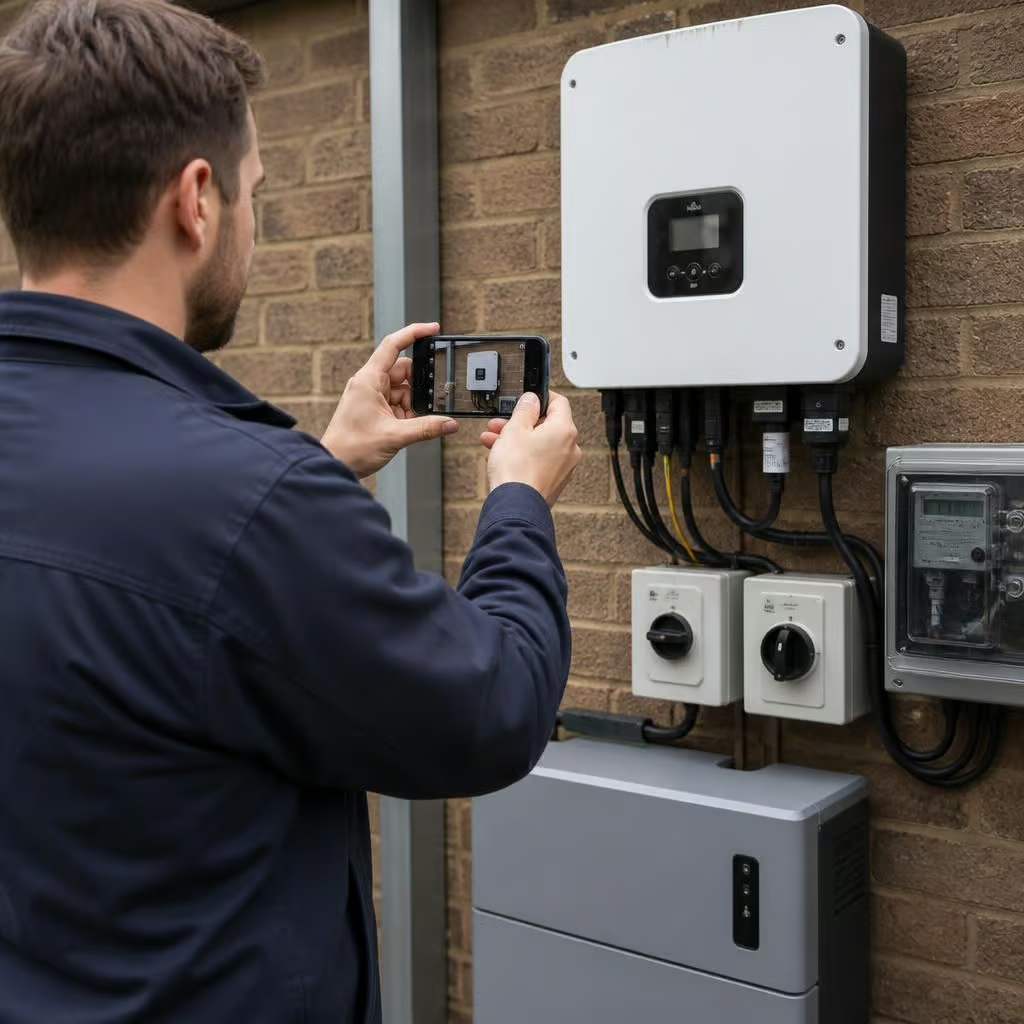
- Wider photographs: Images of the inverter area, nearby isolators, consumer unit, battery and meter help us understand the installation layout. Do not remove covers to take them.
- Access details: Let us know where the inverter is mounted, whether it is indoors or outside, and whether we need access to a loft, garage, outbuilding, roof space or locked cupboard.
- Battery and backup arrangements: If the system includes storage or backup power, tell us which equipment stops working and whether the fault affects the whole property or only selected circuits.
- Monitoring information: If the monitoring portal or app records a historical event, send a screenshot showing the date and time. A loss of communication is different from an inverter shutdown, even when the app appears similar.
We also need to know what you want the repair assessment to achieve. You may need the system generating again, the monitoring restored, the battery operating correctly, or a clear report for a warranty claim. That affects the checks we plan and the paperwork we may need to complete.
Some installations have more than one possible source of a fault. A blank display can result from a failed inverter, an isolated supply, a tripped protective device or a communication problem. A low generation reading can involve the inverter, the metering arrangement, shading, a panel-side issue or incorrect monitoring data. We use the wider system information to avoid treating every symptom as an inverter failure.
Safety information matters as well. Tell us about water ingress, scorching, unusual heat, burning smells, damaged cables, animal damage or recent storm damage. Do not open the inverter or work inside the electrical equipment. If you notice smoke, melting, arcing or a strong burning smell, keep clear and only isolate the system if you can do so safely without touching damaged equipment.
When the information points to an on-site assessment, we check the inverter, its isolators, protective devices, connections and communications. We may also need to test the supply from the property and the connections to the generation equipment. A proper assessment distinguishes a repairable fault from a wider installation problem and identifies any parts or further tests needed before work starts.
If you cannot find the certificates or do not know the system layout, send what you have rather than delaying the enquiry. Clear notes, photographs taken from outside the equipment, and the installation history are usually more useful than guessing at the cause.
A safe photograph is more useful than an opened inverter. Take pictures from outside the equipment, showing the front, rating label and nearby switches or isolators. Keep the image wide enough to show where the inverter sits in relation to the battery, meter or consumer unit. We can use that layout to understand the installation without asking you to expose live parts or climb into an unsafe position.
If the label or display is difficult to read, send separate close-up images as well. Do not remove covers, disconnect cables or reset equipment solely to take a clearer photograph.